

Manual Testing is a software testing process in which testers execute test cases manually without using automation scripts. Testers interact with the application to verify its functionality, usability, and overall behavior from a user's perspective.
- Helps identify bugs, UI issues, and unexpected behavior.
- Allows testers to validate application functionality through direct interaction.
- Provides flexibility to adapt testing based on changing requirements.
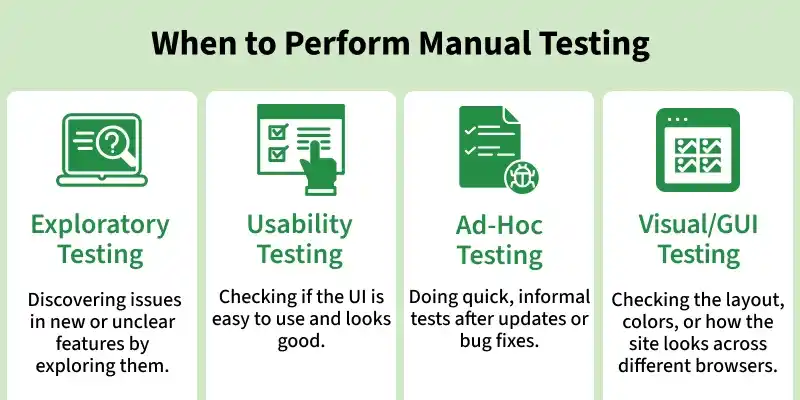
Features of Manual Testing
Manual testing has several characteristics that make it useful for evaluating different aspects of a software application.
- Uses human observation and judgment during testing.
- Verifies application behavior using predefined test cases.
- Supports exploratory testing without strictly following predefined steps.
- Allows flexible test execution when requirements or application behavior change.
- Helps evaluate usability and the overall user experience.
Testing Approaches in Manual Testing
Manual testing can follow different testing approaches depending on the tester's knowledge of the application's internal structure. The three main approaches are Black Box Testing, White Box Testing, and Gray Box Testing.
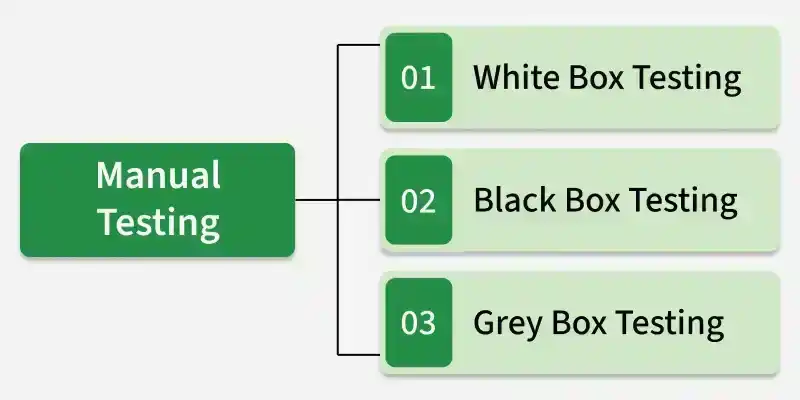
- Black Box Testing: Tests the application's functionality without knowledge of its internal code, focusing on inputs, outputs, and expected behavior.
- White Box Testing: Tests the application's internal code, logic, and structure with knowledge of its implementation.
- Gray Box Testing: Tests the application with partial knowledge of its internal structure, combining elements of Black Box and White Box Testing.
Types of Testing Performed Manually
Manual testing can include different types of testing based on what needs to be evaluated. These are commonly grouped into Functional and Non-Functional Testing.
Functional Testing
Functional Testing verifies what the application does by ensuring that its features and functionalities work according to specified requirements.
- Smoke Testing: Performs basic checks on critical functionalities to ensure the application is stable for further testing.
- Sanity Testing: Verifies specific functionalities after minor changes or bug fixes to ensure they work as expected.
- Integration Testing: Tests the interaction between different modules to ensure they work together correctly.
- System Testing: Tests the complete application as a whole to validate end-to-end functionality.
- Regression Testing: Re-tests existing functionalities after changes or bug fixes to ensure no new defects are introduced.
- User Acceptance Testing (UAT): Conducted by end users or clients to verify that the software meets business requirements.
Non-Functional Testing
Non-Functional Testing evaluates how well the application operates in areas such as usability, performance, security, and compatibility.
- Usability Testing: Evaluates the application's ease of use, user interface, and overall user experience.
- Compatibility Testing: Verifies that the application works correctly across different browsers, devices, and operating systems.
- Performance Testing: Measures the application's speed, responsiveness, stability, and behavior under different workloads.
- Security Testing: Identifies vulnerabilities and ensures the protection of sensitive data and system resources.
Manual Testing Process
The manual testing process follows a structured sequence of activities to ensure that the application is tested systematically.
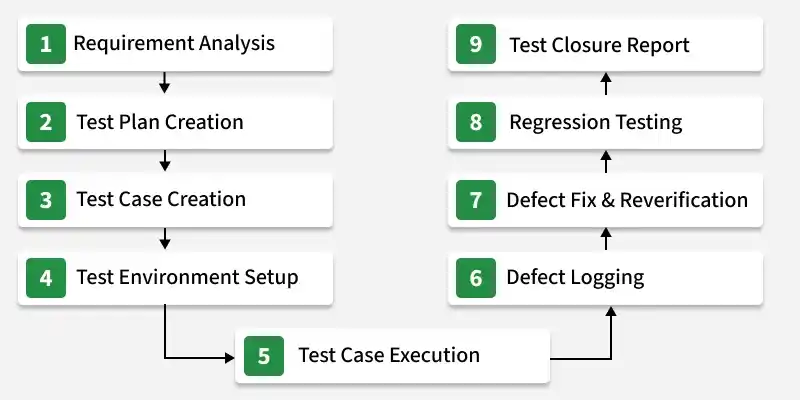
- Requirement Analysis: Understand and analyze the project requirements, user expectations, and business needs to identify what needs to be tested.
- Test Plan Creation: Create a test plan that defines the testing scope, objectives, resources, schedule, and testing approach.
- Test Case Creation: Design detailed test cases with test steps, expected results, and test data to validate application functionality.
- Test Environment Setup: Prepare the required hardware, software, tools, and test data to simulate the production environment.
- Test Case Execution: Execute the test cases and compare actual results with expected results to identify any issues.
- Defect Logging: Record defects with complete details such as description, severity, reproduction steps, and supporting evidence.
- Defect Fix & Reverification: Verify that reported defects have been fixed correctly and confirm that the issue no longer exists.
- Regression Testing: Retest affected and related functionalities to ensure that recent changes have not introduced new defects.
- Test Closure Report: Prepare a final report summarizing testing activities, results, defect status, and key lessons learned.
Tools Used for Manual Testing
Manual testing tools help teams manage test cases, track test execution, maintain traceability, and organize testing activities.
- TestRail: A test management tool used to organize, execute, and track manual test cases with detailed reporting features.
- Xray (for Jira): A Jira-integrated testing tool that supports manual test management, traceability, and defect tracking.
- Qase: A cloud-based test management platform that simplifies test case creation, execution, and team collaboration.
- Zephyr: A test management solution that helps manage manual testing activities with strong Jira integration and reporting.
- Tuskr: A lightweight cloud-based test management tool for creating, managing, and tracking manual test cases efficiently.
Advantages of Manual Testing
Manual testing is particularly useful when human judgment and flexibility are important.
- Detects usability issues and unexpected behavior through human observation.
- Does not require programming knowledge to execute basic test cases.
- Supports exploratory testing and flexible test execution.
- Helps evaluate the application's interface and overall user experience.
- Can be cost-effective for small projects and frequently changing requirements.
Limitations of Manual Testing
Manual testing can become challenging when applications are large or testing tasks are highly repetitive.
- Can be time-consuming because test cases must be executed manually.
- Is prone to human error, especially during repetitive tasks.
- Makes repeated regression testing inefficient and resource-intensive.
- Can be difficult to scale for large and complex applications.
- Generally takes longer to execute than automated testing.
