

Cross-browser testing ensures that a web application functions correctly across different browsers, devices, and operating systems by identifying compatibility issues caused by browser differences.
- Ensures application works across Chrome, Firefox, Safari, Edge, etc.
- Detects rendering and layout inconsistencies.
- Helps maintain stable functionality across environments.
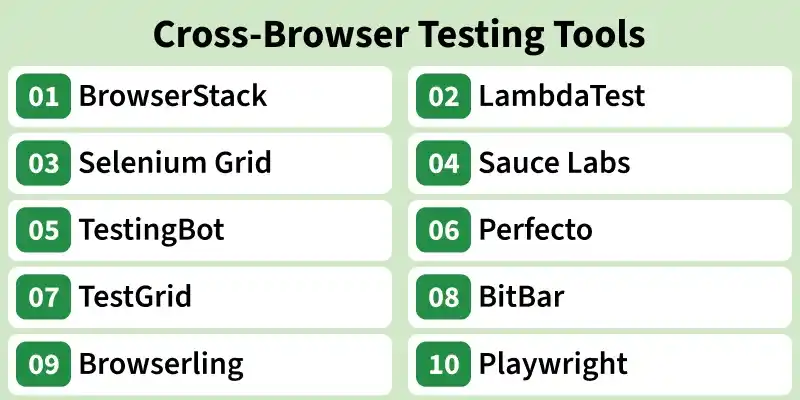
Cross-Browser Testing Tools
Cross-browser testing tools help developers and testers ensure that web applications work correctly across different browsers, devices, and operating systems. These tools support both manual and automated testing to deliver a consistent user experience.
BrowserStack
BrowserStack is a cloud-based cross-browser testing platform that enables testing of web applications on real browsers and devices without maintaining local infrastructure.
- Supports 3000+ real browsers and devices.
- Provides manual and automated testing.
- Integrates with Selenium, Playwright, Cypress, and Appium.
- Supports parallel test execution and CI/CD integration.
Pro: Easy to use with extensive real browser and device coverage, making testing fast and reliable.
Cons: Premium plans are expensive, and testing requires a stable internet connection.
LambdaTest
LambdaTest is a cloud-based platform for cross-browser testing across different browsers, operating systems, and real devices.
- Supports 5000+ browser and OS combinations.
- Offers manual, automated, visual, and responsive testing.
- Supports Selenium, Playwright, Cypress, Puppeteer, and Appium.
- Enables parallel execution for faster testing.
Pro: Wide browser coverage, fast parallel execution, and excellent automation support.
Cons: Advanced features require paid plans, and the free plan has limited usage.
Selenium Grid
Selenium Grid is an open-source tool that allows Selenium tests to run simultaneously on multiple browsers, operating systems, and machines.
- Executes tests in parallel.
- Supports Chrome, Firefox, Edge, and Safari.
- Reduces test execution time.
- Suitable for large-scale automation testing.
Pro: Free, open source, and ideal for scalable parallel cross-browser testing.
Cons: Requires setup, configuration, and infrastructure management.
Sauce Labs
Sauce Labs is a cloud-based testing platform for automated and manual testing on browsers and real devices.
- Supports web and mobile testing.
- Integrates with Selenium, Appium, Playwright, and Cypress.
- Offers parallel execution and CI/CD integration.
- Provides real device and virtual machine testing.
Pro: Enterprise-grade platform with extensive browser/device support and powerful integrations.
Cons: Higher pricing and a learning curve for advanced features.
TestingBot
TestingBot is a cloud-based platform for manual and automated cross-browser testing.
- Supports Selenium, Playwright, Cypress, and Appium.
- Provides access to real devices and virtual machines.
- Supports parallel testing.
- Integrates with CI/CD pipelines.
Pro: Easy integration with automation frameworks and good browser compatibility.
Cons: Fewer advanced enterprise features compared to larger cloud platforms.
Perfecto
Perfecto is an enterprise cloud testing platform for web and mobile applications.
- Supports manual and automated testing.
- Provides AI-assisted testing and analytics.
- Offers real device cloud.
- Includes performance monitoring capabilities.
Pro: Excellent for enterprise mobile and web testing with AI-powered insights.
Cons: Expensive and more suitable for large organizations than small teams.
TestGrid
TestGrid is a cloud-based platform for browser, mobile, API, and performance testing.
- Supports testing on real devices and browsers.
- Offers manual and automated testing.
- Integrates with Selenium and Appium.
- Includes AI-powered testing capabilities.
Pro: All-in-one testing platform with AI features and real device support.
Cons: Some advanced capabilities are available only in premium plans.
BitBar
BitBar is a cloud-based testing platform for web and mobile application testing using real devices.
- Supports Selenium and Appium automation.
- Provides real Android and iOS devices.
- Supports parallel test execution.
- Suitable for compatibility testing.
Pro: Reliable real-device testing with fast parallel execution.
Cons: Enterprise-focused pricing may not suit small teams.
Browserling
Browserling is an online cross-browser testing tool that provides access to live browsers without installation.
- Supports live interactive browser testing.
- No local setup required.
- Simple and lightweight interface.
- Ideal for quick compatibility testing.
Pro: Simple, fast, and easy to use for quick browser compatibility checks.
Cons: Limited automation features and browser coverage compared to enterprise platforms.
Playwright
Playwright is an open-source automation framework developed by Microsoft for end-to-end and cross-browser testing.
- Supports Chromium, Firefox, and WebKit.
- Provides fast and reliable automation.
- Supports JavaScript, Java, Python, and C#.
- Includes auto-wait, screenshots, videos, and parallel execution.
Pro: Free, fast, modern, and offers excellent built-in cross-browser automation.
Cons: Requires programming knowledge and is intended primarily for automated testing rather than manual testing. experience slow session startup
Cross-Browser Testing Approaches
Cross-browser testing includes different approaches that help ensure a web application works correctly across multiple browsers, devices, and environments. Each approach focuses on a specific aspect of compatibility, functionality, and user experience.
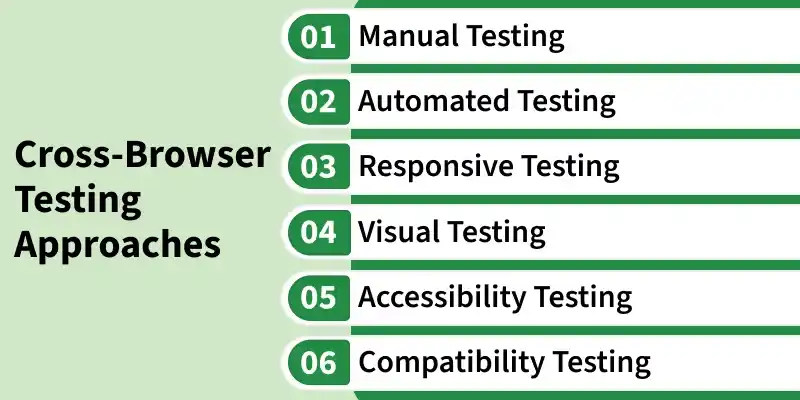
- Manual Testing: Manual testing involves checking a website or application on different browsers by manually performing user actions to verify functionality and appearance.
- Automated Testing: Automated testing uses scripts and testing tools to execute test cases across multiple browsers, ensuring faster, consistent, and repeatable testing.
- Responsive Testing: Responsive testing verifies that a website or application adapts correctly to different screen sizes, resolutions, and devices across various browsers.
- Visual Testing: Visual testing ensures that the user interface, layout, fonts, colors, and other visual elements appear consistently across different browsers and devices.
- Accessibility Testing: Accessibility testing verifies that a website or application is usable by people with disabilities and works properly with assistive technologies across different browsers.
- Compatibility Testing: Compatibility testing ensures that a website or application functions correctly across different browsers, browser versions, operating systems, and devices.
