

The res.headersSent property indicates whether the HTTP headers for a response have been sent.
Syntax:
res.headersSentParameter: No parameters.
Return Value: Boolean (true or false).
Installation of the express module:
You can visit the link to Install the express module. You can install this package by using this command.
npm install expressAfter installing the express module, you can check your express version in the command prompt using the command.
npm version expressAfter that, you can just create a folder and add a file, for example, index.js. To run this file you need to run the following command.
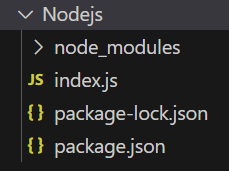
node index.jsProject structure:
Example 1: Filename: index.js
const express = require('express');
const app = express();
const PORT = 3000;
app.get('/', function (req, res) {
    // Before res.send()
    console.log(res.headersSent);
    res.send('OK');
});
app.listen(PORT, function (err) {
    if (err) console.log(err);
    console.log("Server listening on PORT", PORT);
});
Steps to run the program:
Run the index.js file using the below command:
node index.jsOutput:
Console Output:
Server listening on PORT 3000Browser Output:
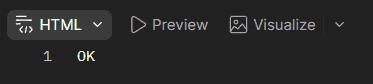
Now open your browser and go to http://localhost:3000/, now you can see the following output on your browser:
Console Output:

Example 2: Filename: index.js
const express = require('express');
const app = express();
const PORT = 3000;
app.get('/', function (req, res) {
    res.send('OK');
    // After res.send()
    console.log(res.headersSent);
});
app.listen(PORT, function (err) {
    if (err) console.log(err);
    console.log("Server listening on PORT", PORT);
});
Steps to run the program:
Run the index.js file using the below command:
node index.jsOutput:
Console Output:
Server listening on PORT 3000Browser Output: Now open your browser and make a GET request to http://localhost:3000, now you can see the following output on your browser:
Console Output:

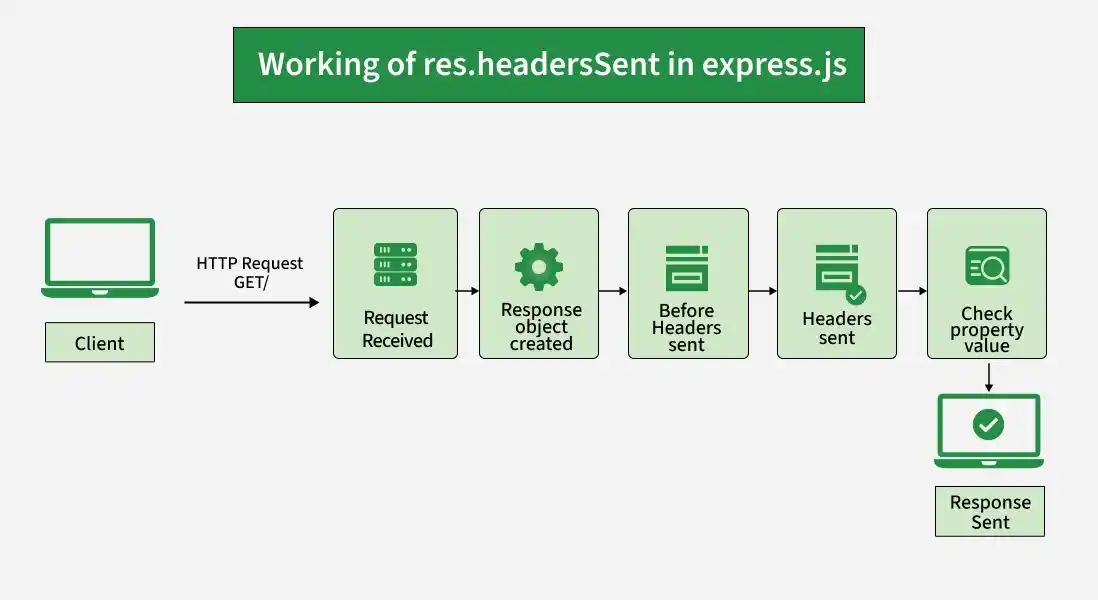
Working of res.headersSent
- An Express application receives a client request.
- Express creates a response object and passes it to the route handler.
- Before the response headers are sent, res.headersSent is false.
- Once the response headers are sent, res.headersSent becomes true.
- The property can be used to check whether it is still possible to modify or send response headers.
Use Cases of res.headersSent
- Checking whether response headers have already been sent.
- Preventing attempts to modify headers after they have been sent.
- Handling errors that occur after a response has started.
- Writing custom error-handling middleware.
- Determining whether a response can still be modified.
Reference: https://expressjs.com/en/4x/api.html#res.headersSent
