

The req.query property allows you to access query parameters from the URL of an incoming HTTP request. Query parameters are key-value pairs added after the ? symbol in a URL and are commonly used to filter, search, or pass optional data to the server.
Syntax:
req.queryParameter: req.query does not require any parameters. It automatically parses and returns an object containing the query parameters from the URL.
Return Value: Returns an object containing the query parameters as key-value pairs.
Steps to Create the Application:
Step 1: You can install this package by using this command.
npm install expressStep 2: After installing the express module, you can check your express version in the command prompt using the command.
npm version expressStep 3: After that, you can just create a folder and add a file, for example, index.js. To run this file you need to run the following command.
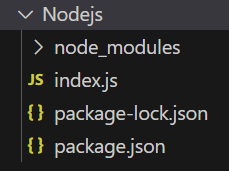
node index.jsProject Structure:
Example 1: Below is the basic example of the req.query property:
const express = require('express');
const app = express();
const PORT = 3000;
app.get('/profile',
    function (req, res) {
        console.log(req.query.name);
        res.send("Query parameter received");
    });
app.listen(PORT,
    function (err) {
        if (err) console.log(err);
        console.log("Server listening on PORT", PORT);
    });
Steps to run the program:
node index.jsConsole Output:

Browser Output: Go to http://localhost:3000/profile?name=Gourav :

Example 2: Below is the basic example of the req.query property:
const express = require('express');
const app = express();
const PORT = 3000;
app.get('/user',
    function (req, res) {
        console.log("Name: ", req.query.name);
        console.log("Age:", req.query.age);
        res.send("User details received");
    });
app.listen(PORT,
    function (err) {
        if (err) console.log(err);
        console.log(
            "Server listening on PORT",
            PORT
        );
    });
Steps to run the program:
node index.jsOutput: GET request to http://localhost:3000/user?name=Gourav&age=11:

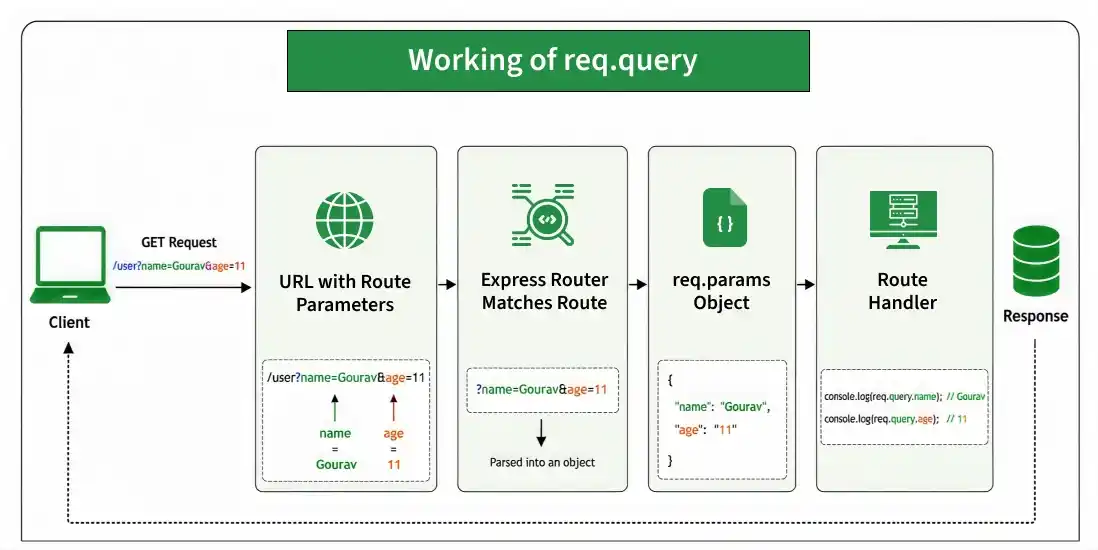
Working of req.query
- The client sends a request containing query parameters in the URL.
- Express parses the query string automatically.
- The parsed parameters are stored in req.query.
- You can access individual values using keys such as req.query.name.
Common Use Cases of req.query
- Filtering data
- Searching records
- Sorting results
- Pagination
- Passing optional request parameters
