

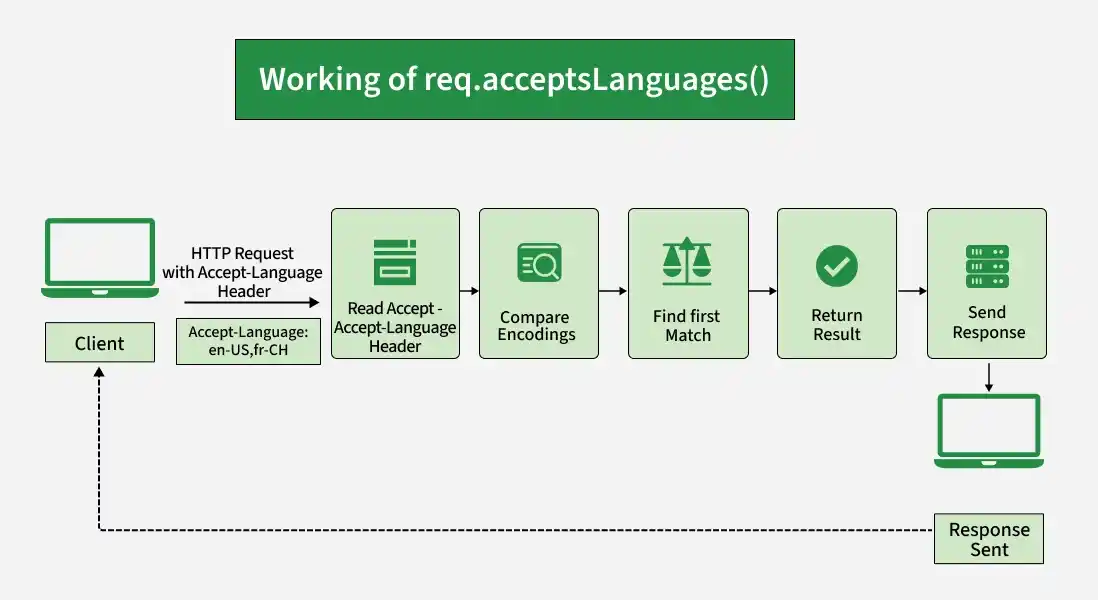
The req.acceptsLanguages() function checks whether the specified languages are acceptable based on the request's Accept-Language HTTP header. It returns the first matching language, or false if none of the specified languages is acceptable.
Syntax:
req.acceptsLanguages(lang)Parameters: The lang parameter specifies one or more language codes to check, such as en-US, fr-CH, or de.
Return Value: Returns the first accepted language as a string, or false if none of the specified languages is acceptable.
Installation of the express module:
You can visit the link to Install the express module. You can install this package by using this command.
npm install expressAfter installing the express module, you can check your express version in the command prompt using the command.
npm version expressAfter that, you can just create a folder and add a file, for example, index.js. To run this file you need to run the following command.
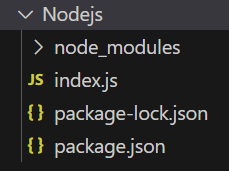
node index.jsProject Structure:
Example 1: Checking an Accepted Language
const express = require('express');
const app = express();
const PORT = 3000;
app.get('/', (req, res) => {
    const language = req.acceptsLanguages('en-US');
    console.log(language);
    res.send(`Accepted language: ${language}`);
});
app.listen(PORT, () => {
    console.log(`Server listening on PORT ${PORT}`);
});
Steps to run the program:
Run the index.js file using the below command:
node index.jsOutput:
Console Output:
Server listening on PORT 3000Browser Output:
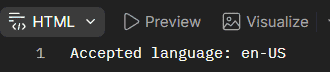
Now make a GET request to http://localhost:3000/ with the header set to 'Accept-Language: en-US', then you will see the following output on your browser :
Console Output:

Example 2: Filename: index.js
const express = require('express');
const app = express();
const PORT = 3000;
app.get('/', (req, res) => {
    const language = req.acceptsLanguages(
        'fr-CH',
        'en-US',
        'de'
    );
    console.log(language);
    res.send(`Accepted language: ${language}`);
});
app.listen(PORT, () => {
    console.log(`Server listening on PORT ${PORT}`);
});
Steps to run the program:
Run the index.js file using the below command:
node index.jsOutput:
Console Output:
Server listening on PORT 3000Browser Output:
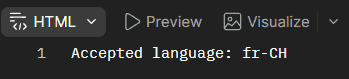
Now make a GET request to http://localhost:3000/ with the header set to 'Accept-Language: fr-CH', then you will see the following output on your console:
Console Output:

Working of req.acceptsLanguages()
- The client sends an HTTP request with an Accept-Language header.
- Express reads the languages specified in the header.
- req.acceptsLanguages() compares the requested languages with the values provided to the method.
- Express returns the first matching language.
- If none of the specified languages is acceptable, it returns false.
Use Cases of req.acceptsLanguages()
- Checking which languages a client prefers.
- Selecting the appropriate language for a response.
- Implementing multilingual web applications.
- Supporting localized content based on client preferences.
- Handling requests with different language preferences.
Reference: https://expressjs.com/en/4x/api.html#req.acceptsLanguages
