

Creating a custom error page in Next.js allows you to provide a better user experience by displaying a customized page whenever users visit a route that does not exist.
Custom error page
A 404 (Not Found) page is displayed when a user tries to access a page that does not exist in the application. Instead of showing the default error page, Next.js allows you to create a custom page that matches your application's design.
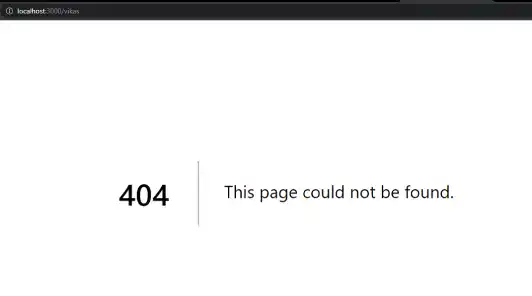
Approach
To create a custom 404 page in Next.js, create a not-found.js file inside the app directory. Whenever a user visits a route that does not exist, Next.js automatically renders this file.
// File Path: src/app/not-found.js

export default function NotFound() {
    return <>YOUR COMPONENT HERE</>;
}
Steps to Create a Custom Error Page in Next.js
Prerequisite: Before following this tutorial, make sure you have already created a Next.js project. If not, refer to the Next.js Installation and First Application article.Step 1: The project structure will look like the following.
Project Structure:

Step 2: Create the Custom Error Page
Create a new file named not-found.js inside the src/app directory and add the following code.
// File Path: src/app/not-found.js
export default function NotFound() {
    return (
        <main
            style={{
                textAlign: "center",
                padding: "60px",
            }}
        >
            <h1>
                Welcome to{" "}
                <span style={{ color: "green" }}>
                    GeeksforGeeks
                </span>
            </h1>
            <h2>
                404 - Page Not Found
            </h2>
            <p>
                Sorry, the page you are looking for does not exist.
            </p>
            <p>
                Please check the URL and try again.
            </p>
        </main>
    );
}
Explanation: In the above example, we create a not-found.js file inside the app directory. Whenever a user visits a route that does not exist, Next.js automatically renders this page instead of displaying the default 404 page. This allows you to customize the appearance and message shown to users.
Step 3: Run the application
npm run dev Output: And now let us go to a non-existing page on the website to encounter the 404 error.

