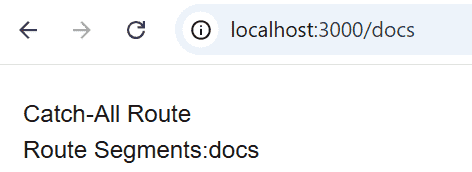
Catch-all routes in Next.js allow a single route to match multiple URL segments using the [...slug] convention. They are useful for handling nested routes such as documentation pages, category hierarchies, or dynamic navigation.
- Match one or more URL segments with a single route.
- Use the [...slug] naming convention.
- Access route segments using the params object.
- Ideal for nested and dynamic routing.
Syntax:
app/[...slug]/page.jsSteps to Create a Catch-All Route in Next.js
Follow the steps given below:
Step 1: Create a New Next.js Project
Create a new Next.js application using the following command:
npx create-next-app@latest catch-all-routesStep 2: Navigate to the Project Directory
Move to the project folder.
cd catch-all-routesStep 3: Project Structure
Create a catch-all route inside the app directory.
catch-all-routes/
│
├── app/
│   ├── [...slug]/
│   │   └── page.js
│   └── page.js
└── ...
Step 4: Create the Catch-All Route
Create the following file:
app/[...slug]/page.jsexport default async function Page({
params,
}) {
const { slug } = await params;
return (
<main style={{ padding: "20px" }}>
<h1>Catch-All Route</h1>
<p>
Route Segments:
{slug.join(" / ")}
</p>
</main>
);
}
Step 5: Run the Application
Start the development server.
npm run devOpen any of the following URLs:
http://localhost:3000/docs
http://localhost:3000/docs/nextjs
http://localhost:3000/docs/nextjs/routing
http://localhost:3000/a/b/c/d
Output: