

In JavaScript, the Array.includes() method is used to check whether a particular element exists in an array. It returns true if the element is found and false otherwise.
- Checks whether an element exists in an array.
- Returns a Boolean value (true or false).
- Supports an optional fromIndex parameter to specify where the search should begin.
- For objects, property existence can be checked using the in operator, hasOwnProperty(), or other approaches.
Parameters:
- searchElement: The element to search for in the array.
- fromIndex: The index from which the search should begin. This parameter is optional.
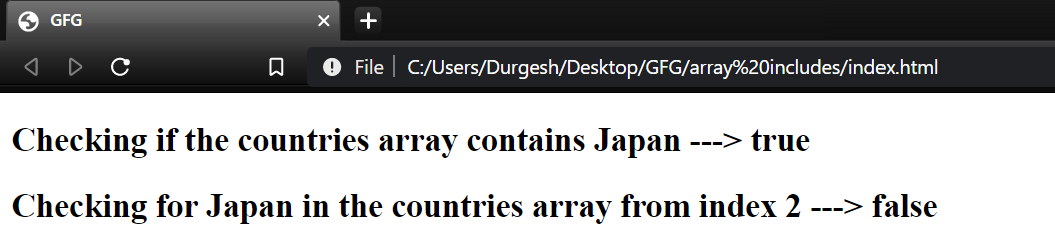
Example: Checks whether "Japan" exists in the countries array and then searches for it starting from index 2.
<!DOCTYPE html>
<html lang="en">

<body>
    <h2>
        Checking if the countries
        array contains Japan --->
        <span id="ans"></span>
    </h2>
    <h2>
        Checking for Japan in the countries
        array from index 2 --->
        <span id="ans2"></span>
    </h2>

    <script>
        let countries = ["India", "Japan",
            "Canada", "Germany", "Australia"];

        // 1st Output
        let ans = document.querySelector("#ans");
        let output = countries.includes("Japan");
        ans.append(output);

        // 2nd Output
        let ans2 = document.querySelector("#ans2");
        let output2 = countries.includes("Japan", 2);
        ans2.append(output2);
    </script>
</body>

</html>
Output:
Syntax:
array_name.includes(searchElement, fromIndex);Checking for a Property in an Object
To check whether an object contains a particular property, we can use the in operator, hasOwnProperty(), or Object.hasOwn().
1. Using in Operator
The in operator returns true if the specified property exists in the object. It checks both own and inherited properties.
Example: Checks whether the specified properties exist in the Person object.
let Person = {
    name: "Daniel",
    age: 16
};

console.log('name' in Person);
console.log('toString' in Person);
console.log('gender' in Person);
Output
true
true
false
Syntax:
'property_name' in object_name;Note: toString is inherited from Object.prototype, so the in operator returns true for it.
2. Using hasOwnProperty() Method
The hasOwnProperty() method returns true if the property belongs directly to the object. It does not consider inherited properties.
Example: Checks only the own properties of the Person object.
let Person = {
    name: "Daniel",
    age: 16
};

console.log(Person.hasOwnProperty('name'));
console.log(Person.hasOwnProperty('toString'));
console.log(Person.hasOwnProperty('gender'));
Output
true
false
false
Syntax:
object_name.hasOwnProperty('property_name');3. Using Object.hasOwn()
The Object.hasOwn() method checks whether a property exists directly on an object. Unlike hasOwnProperty(), it can be safely used even when an object has its own property named hasOwnProperty.
Example: Checks whether the specified properties are own properties of the object.
let Person = {
    name: "Daniel",
    age: 16
};

console.log(Object.hasOwn(Person, 'name'));
console.log(Object.hasOwn(Person, 'toString'));
console.log(Object.hasOwn(Person, 'gender'));
Output
true
false
false
Syntax:
Object.hasOwn(object_name, 'property_name');4. Comparing with undefined
Accessing a property that does not exist normally returns undefined. Therefore, comparing the property value with undefined can be used to check whether a property exists.
Example: Checks property existence by comparing its value with undefined.
let Person = {
    name: "Daniel",
    age: 16
};

console.log(Person.name !== undefined);
console.log(Person.toString !== undefined);
console.log(Person.gender !== undefined);
Output
true
true
false
Note: This approach cannot reliably distinguish between a missing property and a property explicitly assigned the value undefined.
let Person = {
    name: undefined,
    age: 16
};

console.log(Person.name !== undefined);
Output
false
Although the name property exists, its value is undefined, so the comparison returns false.
Note: in and Object.hasOwn() are preferable when the actual existence of a property needs to be checked, especially when a property can legitimately have the value undefined.
