Repository navigation
Ruleset installation guide
Most rulesets should work on every platform that osu!(lazer) supports.
- osu!(lazer) is installed
In the osu! settings menu, search for a button titled "Open osu! folder" and click it.
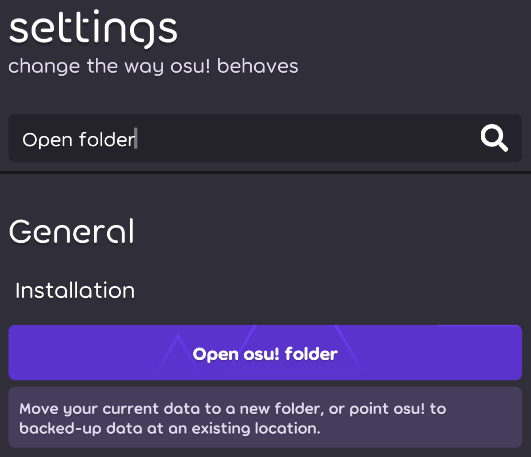
On Android, there isn't the "Open osu! folder" button. You need to connect your main device to a secondary device (computer or phone) using a physical cable, enable file transfer in settings and, on your secondary device's file explorer, find the plugged in device and navigate to /Android/data/sh.ppy.osulazer/files/rulesets/
Due to an Android bug, you might need to reboot your device before being able to enable file transfers.
In iOS, there isn't the "Open osu! folder" button. The osu data directory can be accessed via iTunes on a computer.
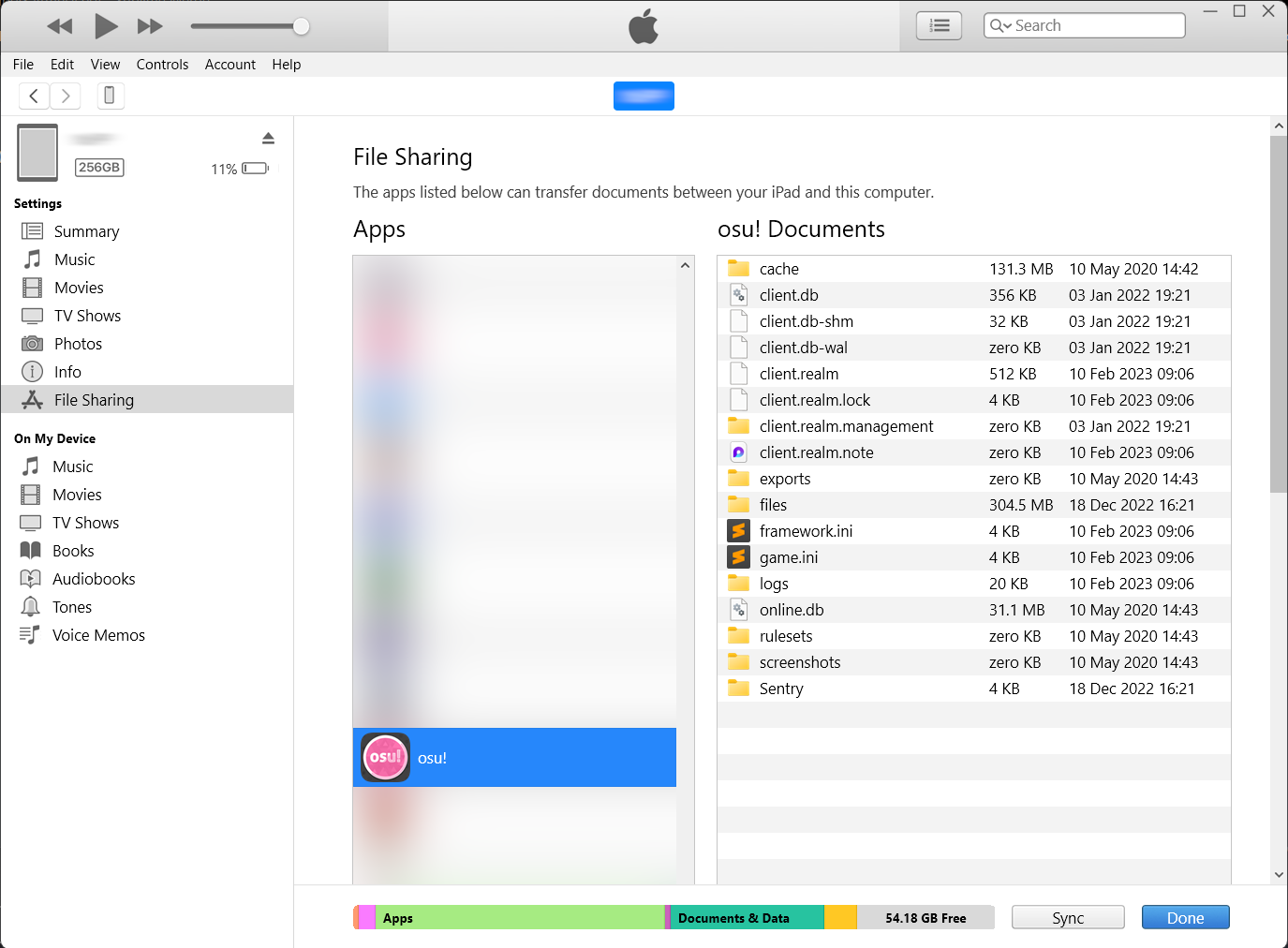
Copy the ruleset file into the rulesets directory. Make sure to delete the previous versions.
All rulesets should be in this folder.
Create a rulesets directory on your computer temporarily, and put ruleset files in, then drag the whole rulesets directory into "osu! Documents". This will completely replace (not merge) the rulesets directory in your device.
To uninstall rulesets, put only the ruleset files you want to remain in the directory and drag it over.
Download the language zips of your choice. The folder(s) for languages are named by their two-letter locale code within the zips. These folders are usually located on the same GitHub downloads page as the rulesets (albeit they might not have received an update with the latest version of the ruleset, meaning that you might need to scroll and find an older one) and can be placed alongside the ruleset in the rulesets folder.

Locales for different rulesets can be extracted and updated in the same destination without conflicts, since they use their own localisation files within the locale folders.
After completing the above steps, you may need to restart lazer if it is already open. Once lazer is started, you should see the ruleset alongside the standard rulesets.
Rulesets do NOT update automatically alongside lazer.
Rulesets will sometimes continue to function with newer versions of lazer, but there will be times when a change in lazer may render a ruleset unplayable. In such cases, ruleset developers often release a new version of their ruleset to resolve such issues.
