


 本文介绍了从APIversion9开始,如何在ArkTS卡片中使用新的接口来定义和配置热区的位置(x、y坐标)和尺寸(width、height),包括百分比和偏移选项,以及响应区域的设置示例。
从API version 9开始,该接口支持在ArkTS卡片中使用。
| 名称 | 类型 | 必填 | 描述 |
| x | Length | 否 | 触摸点相对于组件左上角的x轴坐标。默认值:0vp |
| y | Length | 否 | 触摸点相对于组件左上角的y轴坐标。默认值:0vp |
| width | Length | 否 | 触摸热区的宽度。默认值:'100%' |
| height | Length | 否 | 触摸热区的高度。默认值:'100%' |
说明
x和y可以设置正负值百分比。当x设置为'100%'时表示热区往右偏移组件本身宽度大小,当x设置为'-100%'时表示热区往左偏移组件本身宽度大小。当y设置为'100%'时表示热区往下偏移组件本身高度大小,当y设置为'-100%'时表示热区往上偏移组件本身高度大小。
width和height只能设置正值百分比。width:'100%'表示热区宽度设置为该组件本身的宽度。比如组件本身宽度是100vp,那么'100%'表示热区宽度也为100vp。height:'100%'表示热区高度设置为该组件本身的高度。
百分比相对于组件自身宽高进行计算
示例:
// xxx.ets
@Entry
@Component
struct TouchTargetExample {
  @State text: string = ""

  build() {
    Column({ space: 20 }) {
      Text("{x:0,y:0,width:'50%',height:'100%'}")
      // 热区宽度为按钮的一半,点击右侧无响应
      Button("button1")
        .responseRegion({ x: 0, y: 0, width: '50%', height: '100%' })
        .onClick(() => {
          this.text = 'button1 clicked'
        })

      // 为一个组件添加多个热区
      Text("[{x:'100%',y:0,width:'50%',height:'100%'}," +
      "\n{ x: 0, y: 0, width: '50%', height: '100%' }]")
      Button("button2")
        .responseRegion([
          { x: '100%', y: 0, width: '50%', height: '100%' }, // 第一个热区宽度为按钮的一半,点击按钮右侧宽度一半区域,点击事件生效
          { x: 0, y: 0, width: '50%', height: '100%' } // 第二个热区宽度为按钮的一半,点击button2左半边,点击事件生效
        ])
        .onClick(() => {
          this.text = 'button2 clicked'
        })
      // 热区大小为整个按钮,且下移一个按钮高度,点击button3下方按钮大小区域,点击事件生效
      Text("{x:0,y:'100%',width:'100%',height:'100%'}")
      Button("button3")
        .responseRegion({ x: 0, y: '100%', width: '100%', height: '100%' })
        .onClick(() => {
          this.text = 'button3 clicked'
        })

      Text(this.text).margin({ top: 50 })
    }.width('100%').margin({ top: 10 })
  }
}
源码结构:
/**
 * Defines the data type of the interface restriction.
 *
 * @interface Rectangle
 * @syscap SystemCapability.ArkUI.ArkUI.Full
 * @since 8
 */
/**
 * Defines the data type of the interface restriction.
 *
 * @interface Rectangle
 * @syscap SystemCapability.ArkUI.ArkUI.Full
 * @since 9
 * @form
 */
/**
 * Defines the data type of the interface restriction.
 *
 * @interface Rectangle
 * @syscap SystemCapability.ArkUI.ArkUI.Full
 * @crossplatform
 * @since 10
 * @form
 */
declare interface Rectangle {
  /**
   * x:Horizontal coordinate
   *
   * @type { ?Length }
   * @syscap SystemCapability.ArkUI.ArkUI.Full
   * @since 8
   */
  /**
   * x:Horizontal coordinate
   *
   * @type { ?Length }
   * @syscap SystemCapability.ArkUI.ArkUI.Full
   * @since 9
   * @form
   */
  /**
   * x:Horizontal coordinate
   *
   * @type { ?Length }
   * @syscap SystemCapability.ArkUI.ArkUI.Full
   * @crossplatform
   * @since 10
   * @form
   */
  x?: Length;

  /**
   * y:Vertical axis coordinate.
   *
   * @type { ?Length }
   * @syscap SystemCapability.ArkUI.ArkUI.Full
   * @since 8
   */
  /**
   * y:Vertical axis coordinate.
   *
   * @type { ?Length }
   * @syscap SystemCapability.ArkUI.ArkUI.Full
   * @since 9
   * @form
   */
  /**
   * y:Vertical axis coordinate.
   *
   * @type { ?Length }
   * @syscap SystemCapability.ArkUI.ArkUI.Full
   * @crossplatform
   * @since 10
   * @form
   */
  y?: Length;

  /**
   * Sets the width of the current touchRect.
   *
   * @type { ?Length }
   * @syscap SystemCapability.ArkUI.ArkUI.Full
   * @since 8
   */
  /**
   * Sets the width of the current touchRect.
   *
   * @type { ?Length }
   * @syscap SystemCapability.ArkUI.ArkUI.Full
   * @since 9
   * @form
   */
  /**
   * Sets the width of the current touchRect.
   *
   * @type { ?Length }
   * @syscap SystemCapability.ArkUI.ArkUI.Full
   * @crossplatform
   * @since 10
   * @form
   */
  width?: Length;

  /**
   * Sets the height of the current touchRect.
   *
   * @type { ?Length }
   * @syscap SystemCapability.ArkUI.ArkUI.Full
   * @since 8
   */
  /**
   * Sets the height of the current touchRect.
   *
   * @type { ?Length }
   * @syscap SystemCapability.ArkUI.ArkUI.Full
   * @since 9
   * @form
   */
  /**
   * Sets the height of the current touchRect.
   *
   * @type { ?Length }
   * @syscap SystemCapability.ArkUI.ArkUI.Full
   * @crossplatform
   * @since 10
   * @form
   */
  height?: Length;
}
## 产品推荐
### 推荐理由
postman在国内使用已经越来越困难:
1. 当电脑打开软件多一点点使用postman就会电脑卡的让人冒烟
2. 登录问题严重
3. Mock功能服务基本没法使用
4. 版本更新功能已很匮乏
5. 某些外力因素导致postman以后能否使用风险较大
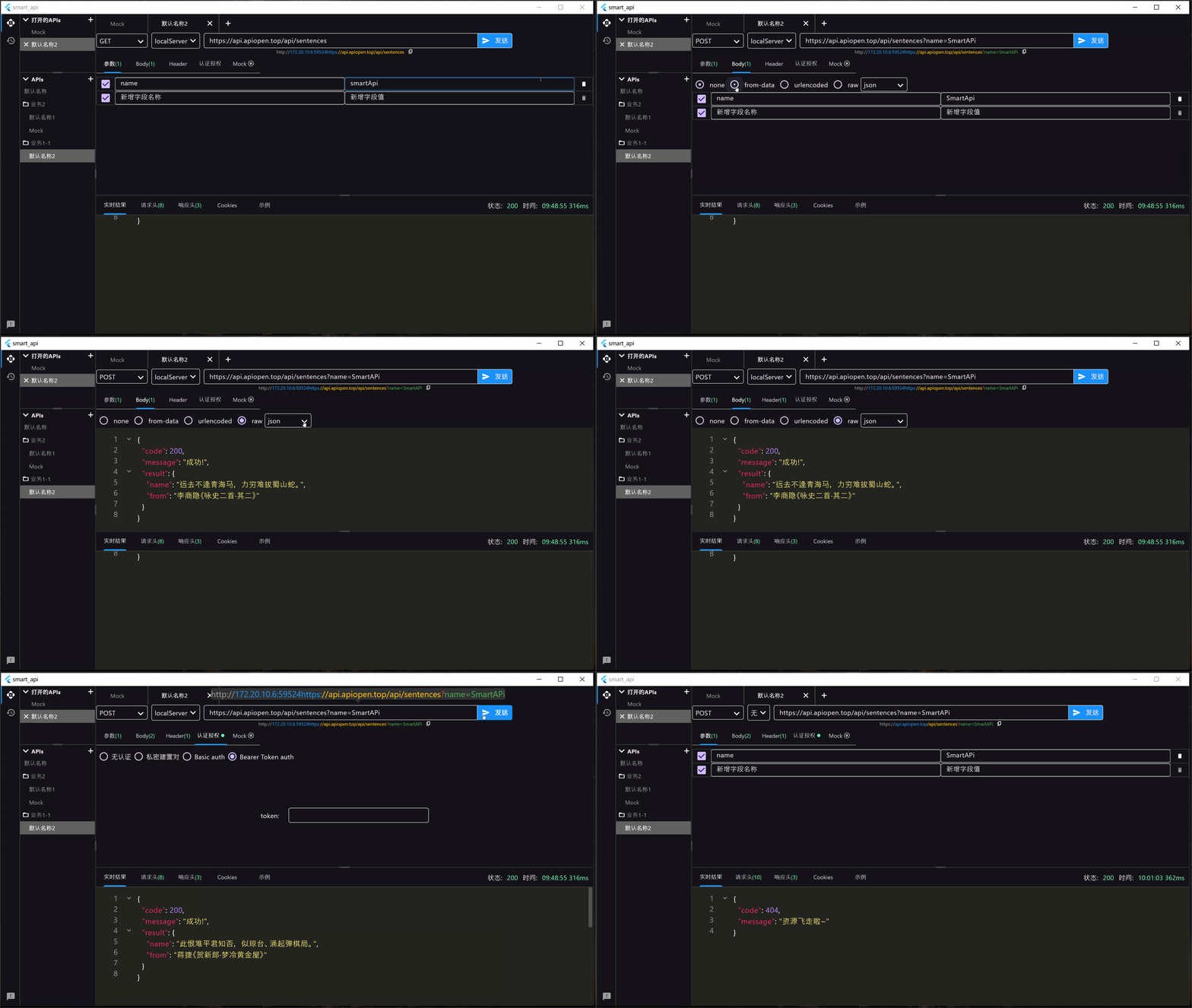
出于以上考虑因此笔者自己开发了一款api调试开发工具SmartApi,满足基本日常开发调试api需求
## 官网地址[SmartApi](http://www.smartapi.site/)
[http://www.smartapi.site/](http://www.smartapi.site/)
是的,兄弟们,我还是建立了自己的官网!需要下载的大佬直接去官网下载就可以了蛤,顺便看看官网介绍
看下面的简单的
---
## 旧版本已停止维护



 扫一扫
扫一扫


 1153
1153

 被折叠的 条评论
为什么被折叠?
被折叠的 条评论
为什么被折叠?
 到【灌水乐园】发言


