



 本文介绍了如何在C++中利用UMG(UnrealMotionGraphics)来创建用户界面,并展示了一个简单的点击计数器的实现过程。首先,创建C++类继承自UUserWidget,并定义更新界面的方法。接着,通过PlayerController添加控件蓝图到视图,并在按键事件中调用C++类的方法更新界面显示。
提示:文章写完后,目录可以自动生成,如何生成可参考右边的帮助文档
前言
本文介绍如何在C++中使用UMG,实现屏幕显示点击计数的效果。后续更复杂的比如血条、弹药条的显示,能以此为基础制作。基本实现逻辑是在C++代码中的APlayerController类里新建UUserWidget类,通过AddToViewport函数将UUserWidget显示在界面,有事件触发即调用UUserWidget类自定义的函数更新界面。
感觉也可以在关卡蓝图中调用AddToViewport将UUserWidget显示,可是不清楚在这里如何关联C++代码和UUserWidget,有了解的同学可以评论指教下。
一、UMG是什么?
虚幻引擎文档介绍
https://docs.unrealengine.com/5.1/zh-CN/umg-ui-designer-quick-start-guide-in-unreal-engine/
二、使用步骤
1.添加C++代码
创建ExampleWidget类,注意新建的C++类,如果文件不是在Source文件夹下是不会被编译的。在引擎中就找不到这个类,如果新建的C++文件不在Source文件夹,要移入Source文件夹。
ExampleWidget.h文件如下
#pragma once

#include "CoreMinimal.h"
#include "Blueprint/UserWidget.h"
#include "Components/TextBlock.h"
#include "ExampleWidget.generated.h"

// We make the class abstract, as we don't want to create
// instances of this, instead we want to create instances
// of our UMG Blueprint subclass.
UCLASS(Abstract)
class UExampleWidget : public UUserWidget
{
	GENERATED_BODY()

protected:
	// Doing setup in the C++ constructor is not as
	// useful as using NativeConstruct.
	virtual void NativeConstruct() override;

	UPROPERTY(BlueprintReadOnly, meta = (BindWidget))
		class UTextBlock* ItemTitle;

	//计数,用来显示
	int32 num;
public:
	void UpdateBullets(int32 NewNum);
};
ExampleWidget.cpp文件如下
#include "ExampleWidget.h"

void UExampleWidget::NativeConstruct()
{
	Super::NativeConstruct();

	if (ItemTitle)
	{
		ItemTitle->SetText(FText::FromString(TEXT("Hello world!")));
	}
	// Here is where I typically bind delegates,
	// and set up default appearance

	num = 0;
}

void UExampleWidget::UpdateBullets(int32 NewNum)
{
	if (ItemTitle)
	{
		num += NewNum;
		FText Text = FText::AsNumber(num);
		ItemTitle->SetText(Text);
	}
}
添加完成,编译下代码
2.新建控件蓝图
如下图创建一个HUD控件蓝图
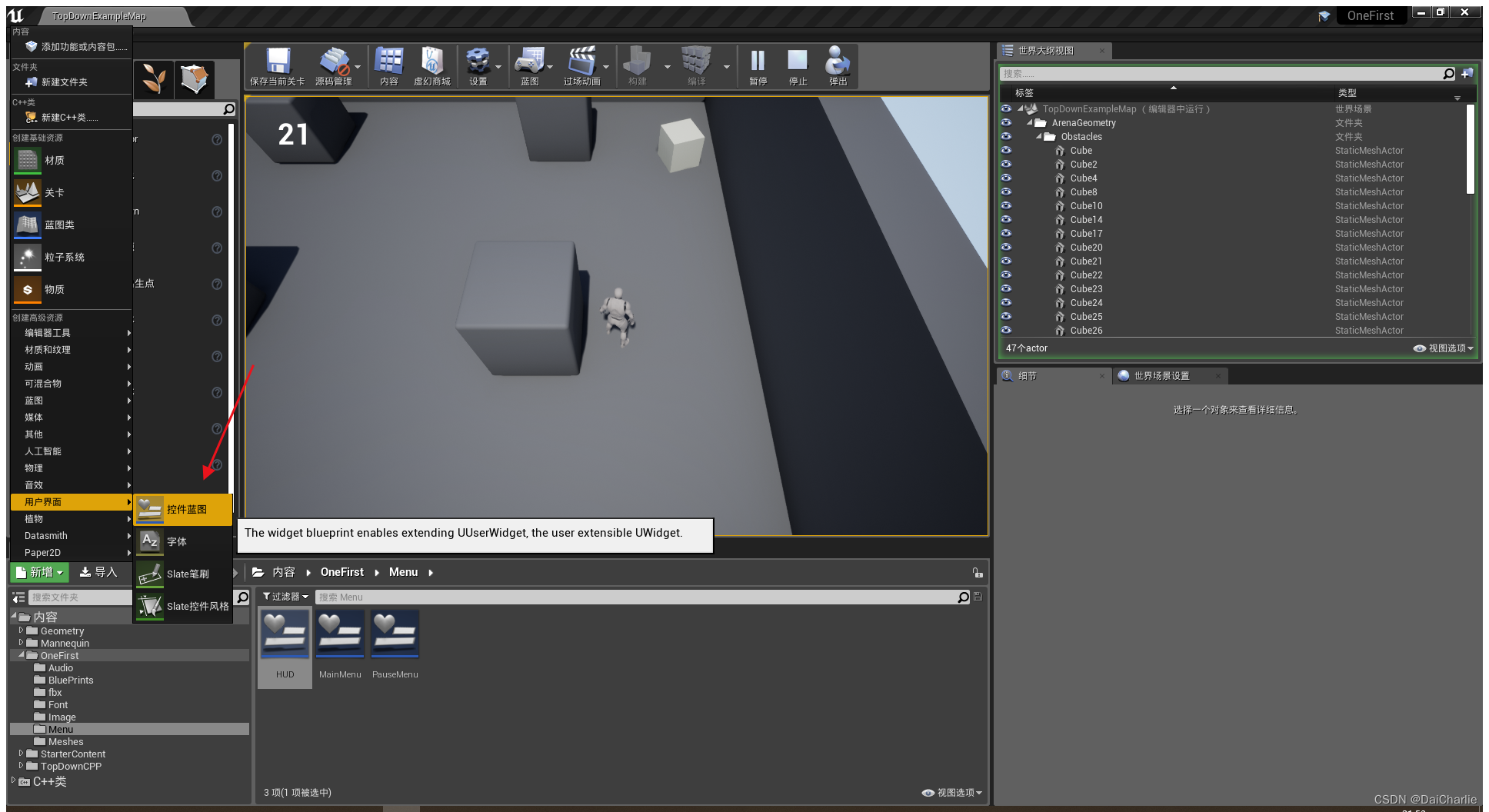
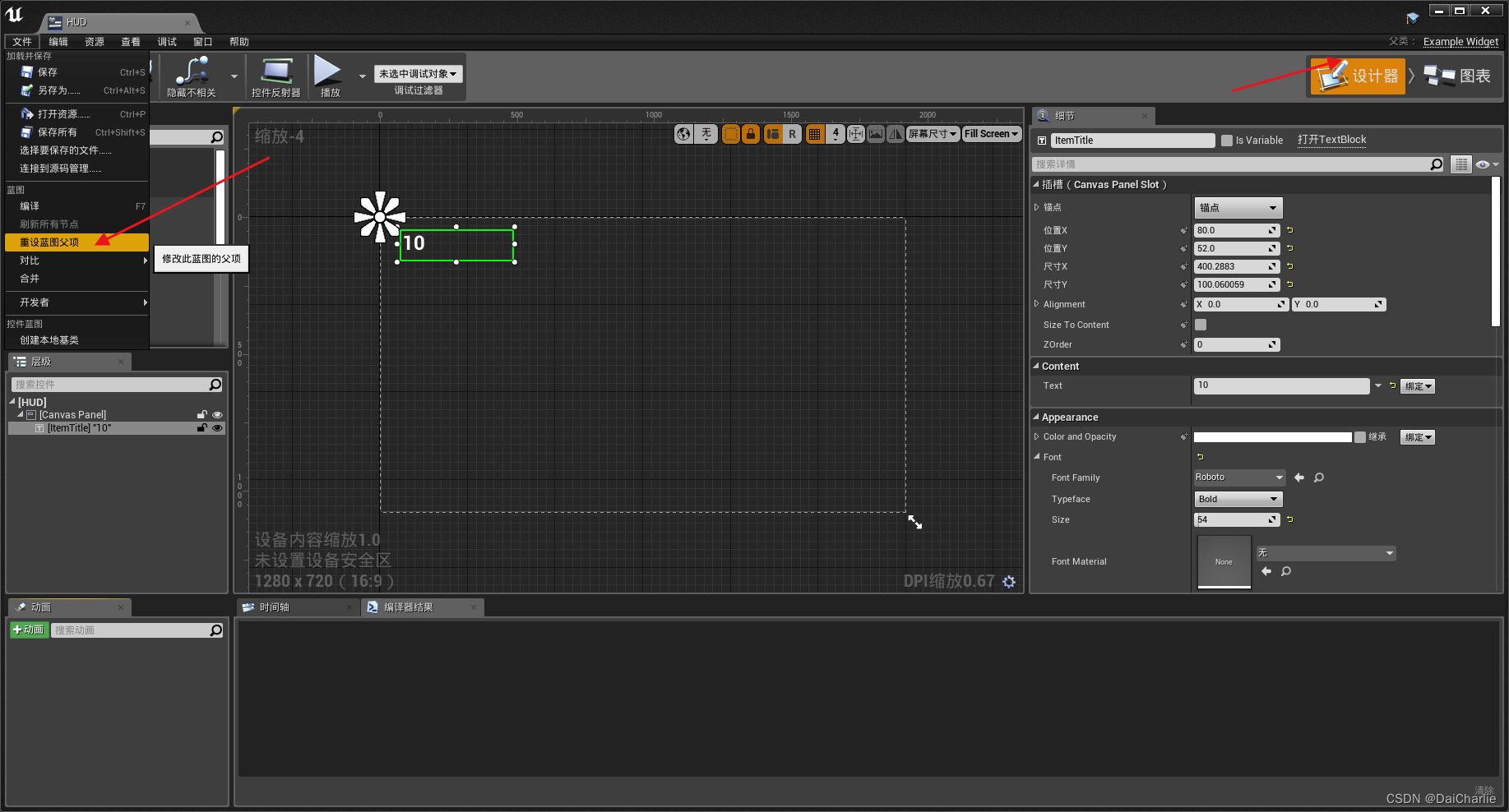
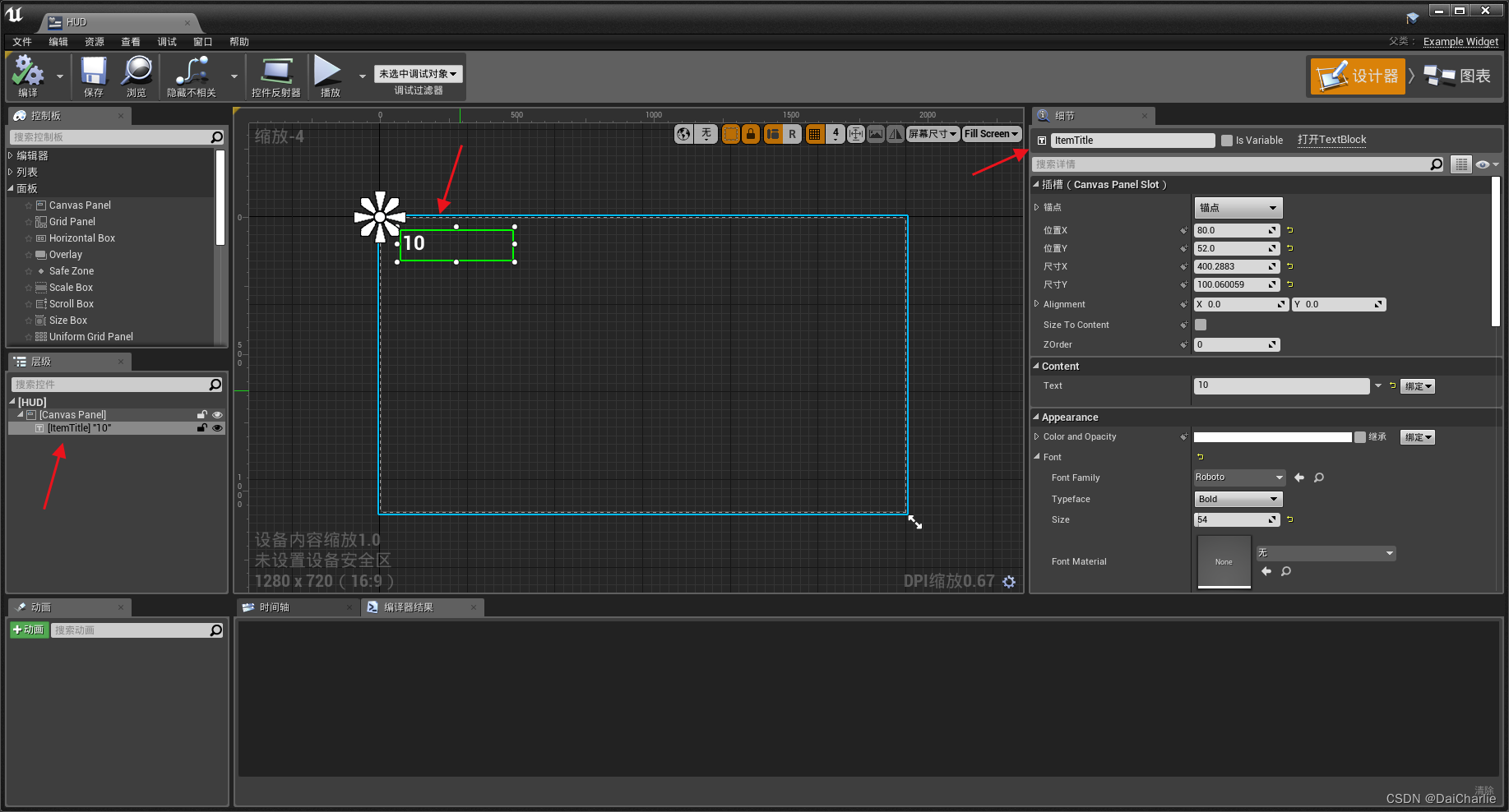
编辑HUD控件蓝图,重设蓝图父项为我们自定义的C++类ExampleWidget,TextBlock控件要命名为和C++中相同的ItemTitle才能绑定。具体如下图
3.编辑PlayerController类
添加变量HUDWidget
UPROPERTY()
		UExampleWidget* HUDWidget;
构造函数中添加初始化操作,创建widget,并添加到视图
//添加视图
	if (HUDWidget == nullptr)
	{
		FStringClassReference HudWidgeClasstRef(TEXT("WidgetBlueprint'/Game/OneFirst/Menu/HUD.HUD_C'"));
		UClass* HudWidgetClass = HudWidgeClasstRef.TryLoadClass<UUserWidget>();
		if (HudWidgetClass)
		{
			HUDWidget = CreateWidget<UExampleWidget>(GetWorld(), HudWidgetClass);
			if (HUDWidget)
				HUDWidget->AddToViewport();
		}
	}
绑定按键触发函数,调用HUDWidget的函数修改HUD界面显示,下面是主要的函数,其他的函数不一一列出了。
//这是绑定按钮操作,触发Fire函数
InputComponent->BindAction("Fire", IE_Pressed, this, &AOneFirstPlayerController::Fire);

//Fire函数中调用HUDWidget的公开函数,修改界面
HUDWidget->UpdateBullets(1);
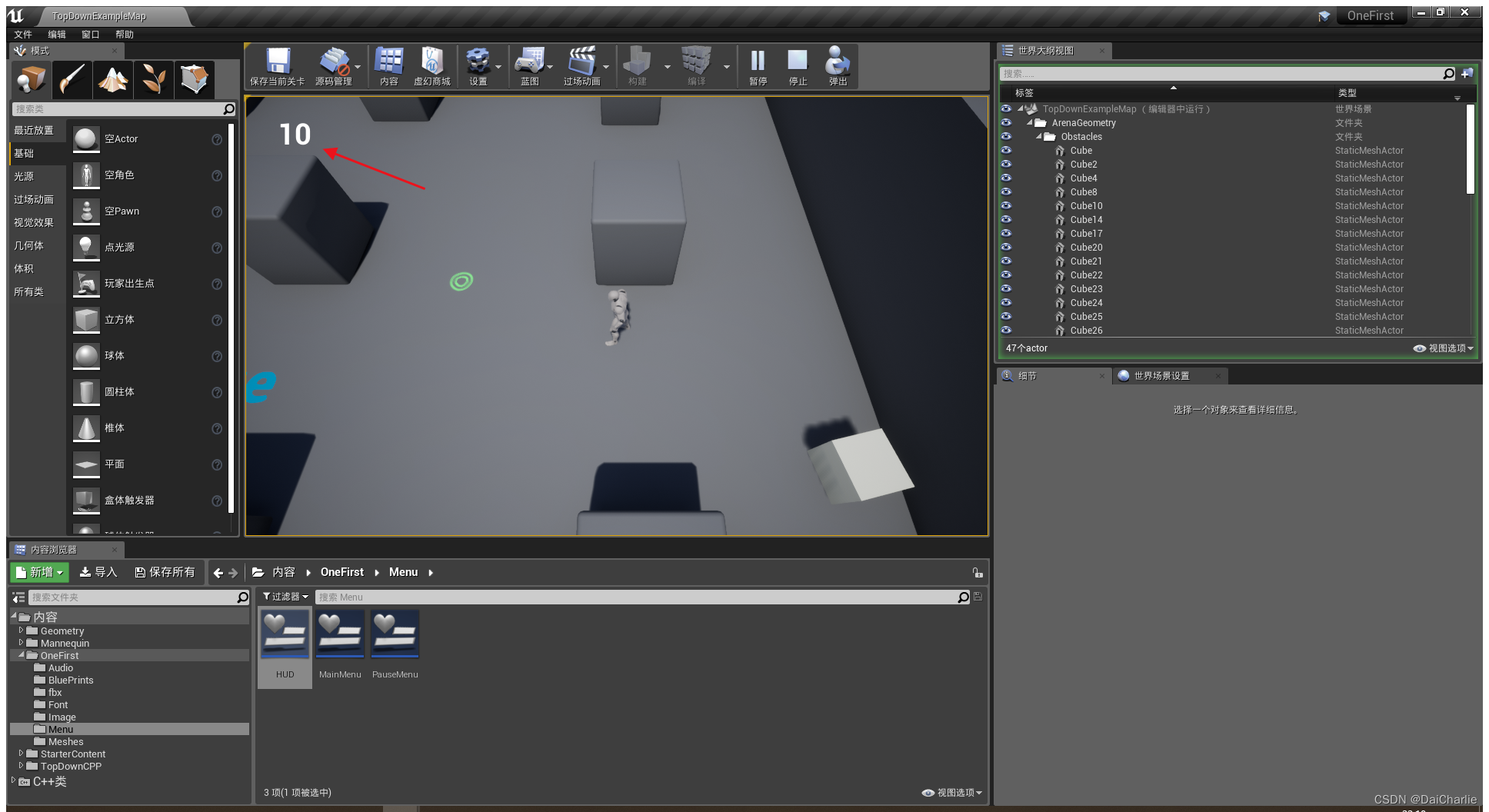
代码添加完成编译运行,下面是效果
总结
这个实现的流程简单概况就是是C++代码中创建蓝图控件类,有按钮触发就调用蓝图控件类的公开函数进行修改。


 扫一扫
扫一扫


 343
343

 被折叠的 条评论
为什么被折叠?
被折叠的 条评论
为什么被折叠?
 到【灌水乐园】发言


